Claude Code for research: a literature review workflow
Updated
How to use Claude Code for academic research: connect it to your papers over MCP, run a literature review, keep evidence and export citations.
Claude Code is Anthropic's agent for the terminal and VS Code. It's built for software, but the things that make it good at code (patience with long tasks, careful reading, working with files) make it good at research too. What it lacks out of the box is a library: it can't search the literature or read papers it hasn't been given. Connecting it to PaperVantage over MCP fills that gap.
Set it up (five minutes)
- Make a free PaperVantage account.
- Follow the Claude Code steps in the MCP setup guide. It's one
claude mcp addcommand, then a browser sign-in. - Start Claude Code in a folder for your project and check the connection: "List my PaperVantage projects."
A literature review, step by step
1. Start with the question. Create a project for one research question:
Create a PaperVantage project called "Sparse attention for long documents" with this brief: which sparse attention methods scale best to documents over 100k tokens, and what do they trade away?
2. Gather candidates. Let Claude search by meaning and rank papers against the brief:
Search for papers on this question, rank them against the brief and add the ten most relevant to the project. Tell me why each one made the cut.
3. Check what's current. This is where reviews usually go stale:
For each paper in the project, check whether newer work supersedes, contradicts or extends its main claim.
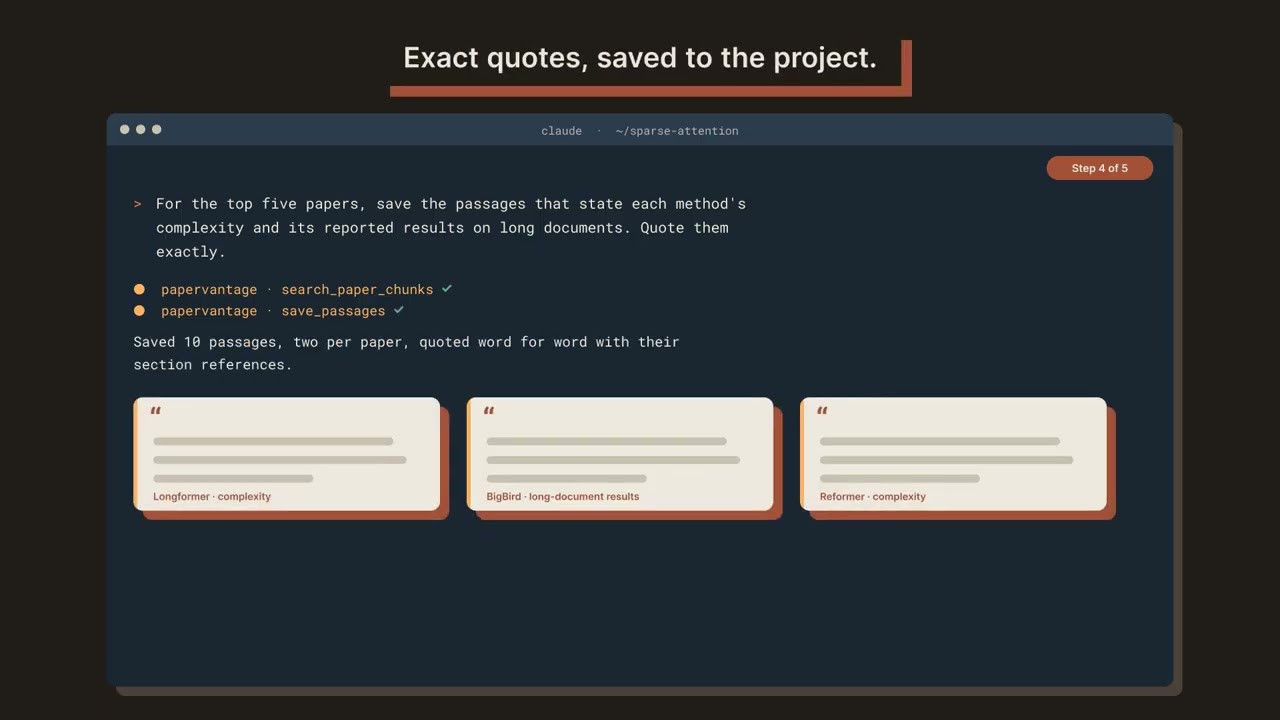
4. Read with evidence. Ask for specifics, with quotes:
For the top five papers, save the passages that state each method's complexity and its reported results on long documents. Quote them exactly.
5. Synthesise and cite. Ask for a comparison grounded in what you saved, then export references:
Write a comparison table of these methods using only the saved passages, then export the project's BibTeX to
references.bib.
Every step lands in the project, so you can open it in the browser, read the papers and check the passages yourself.
Why not just ask a chatbot?
A chatbot's memory of the literature is frozen, incomplete and unverifiable. Claude Code connected to PaperVantage works from papers you can open, saves the exact passages it used, and can tell you when a result has been overtaken. You stay the author; it does the legwork.
Tips
- One project per question keeps Claude focused.
- Ask for quotes. "Quote the sentence" is the cheapest fact-check there is.
- Review bulk changes. Large edits to a project come back to you for approval before they happen.
- Prefer a GUI? The same MCP server works in Claude Desktop; see MCP for research.
Questions
- Is Claude Code only for programmers?
- No. It runs in a terminal or in VS Code, but you talk to it in plain English. For research it's a capable agent that can search, read, compare and write, and it's good at long, multi-step tasks like a literature review.
- Can Claude Code read academic papers?
- On its own it can only read what you give it. Connected to PaperVantage over MCP, it can search arXiv papers by meaning and read their full text, figures and equations.
- What does it cost?
- Claude Code runs on your Claude plan (Pro or Max). PaperVantage is free to connect, with 100 agent tool calls every 30 days; Unlimited (£4.99 a month) removes the limit.
- Will it write my literature review for me?
- It can draft, but you should treat a draft as a starting point. The value is in the legwork: finding papers, pulling the passages that matter and showing you what's newer, so your own argument rests on sources you've checked.